iLogic
See which iLogic rules a document carries - names, code, options and event triggers - straight from the file, without Inventor.
iLogic rules are stored inside the Inventor document itself. MetaReader reads them straight from the file - no Inventor needed - so you can see at a glance whether a part, assembly or drawing carries automation, what each rule does, and which events run it.
To try it, open Part with iLogic from the Try a sample gallery on the start page: a mounting plate with four rules (one of them suppressed, one that only runs by hand) and three event triggers.
In the sidebar
Next to the category badge, two outlined chips show what the document contains:
- iLogic - the document has at least one rule. Hover it for the list of rules (suppressed ones are marked); click it to open the iLogic tab.
- N triggers - the document has event triggers. Hover it to see which event runs which rule, e.g. Before Save Document → UpdateDescription.
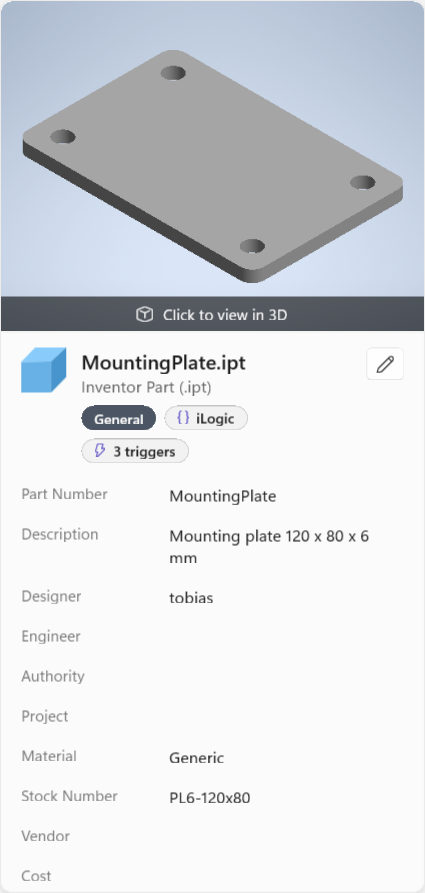
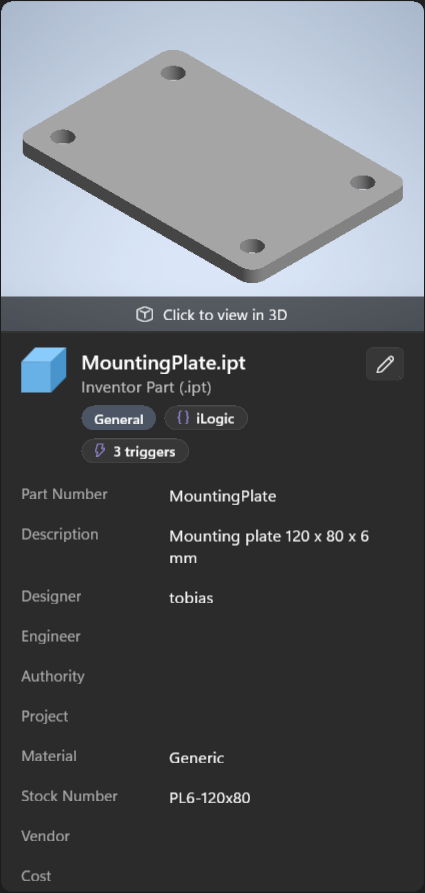
The category badge is solid because it says what the document is; the iLogic chips are outlined because they say what it contains.
The iLogic tab
The iLogic tab lists every rule in the order of the iLogic browser, each in its own card:
- Options that differ from iLogic's defaults - Suppressed, Doesn't run automatically, Straight VB code, Fires dependent rules immediately, Not silent.
- Triggers - the events that run the rule.
- The rule's code, read-only, with a Copy code button.
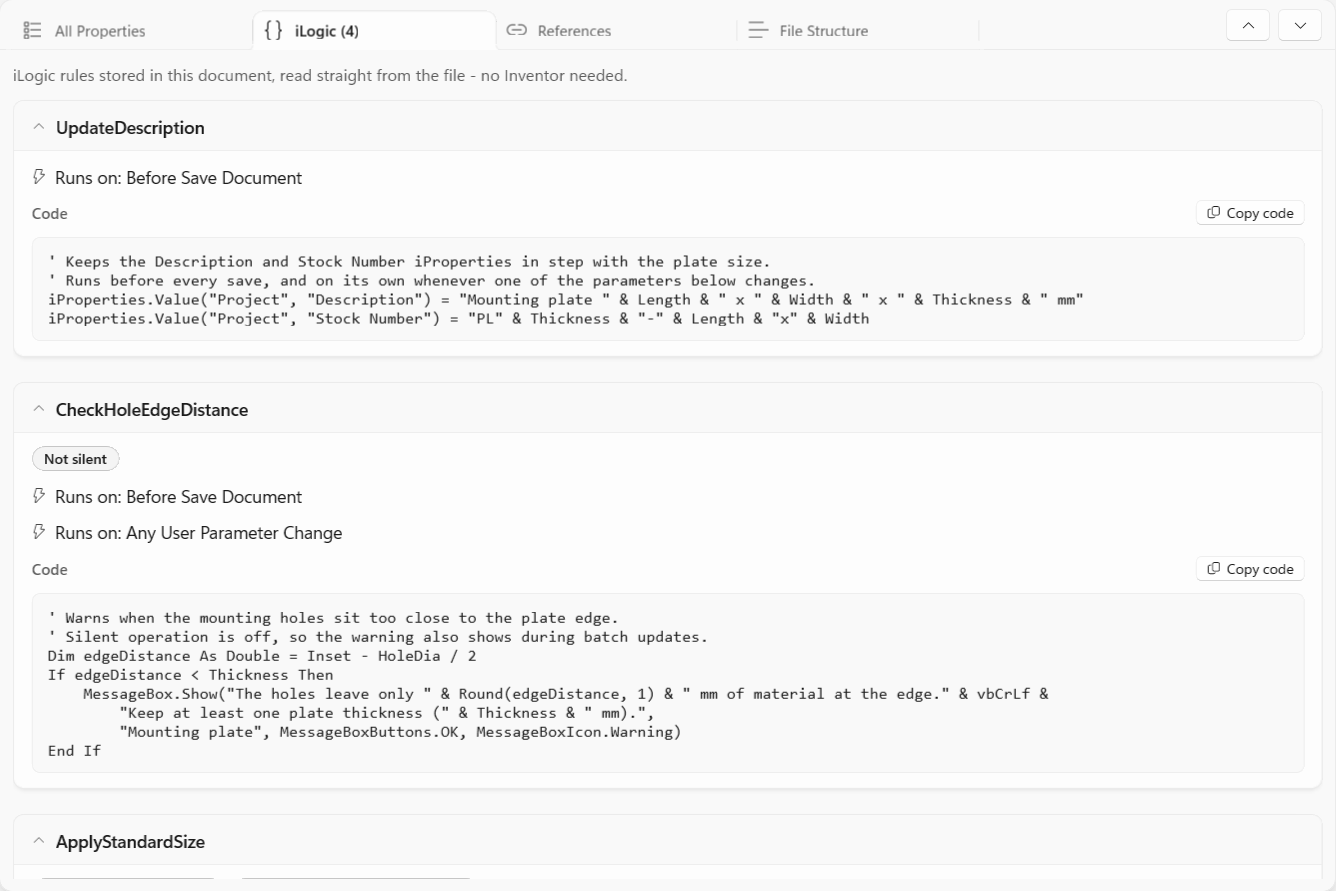
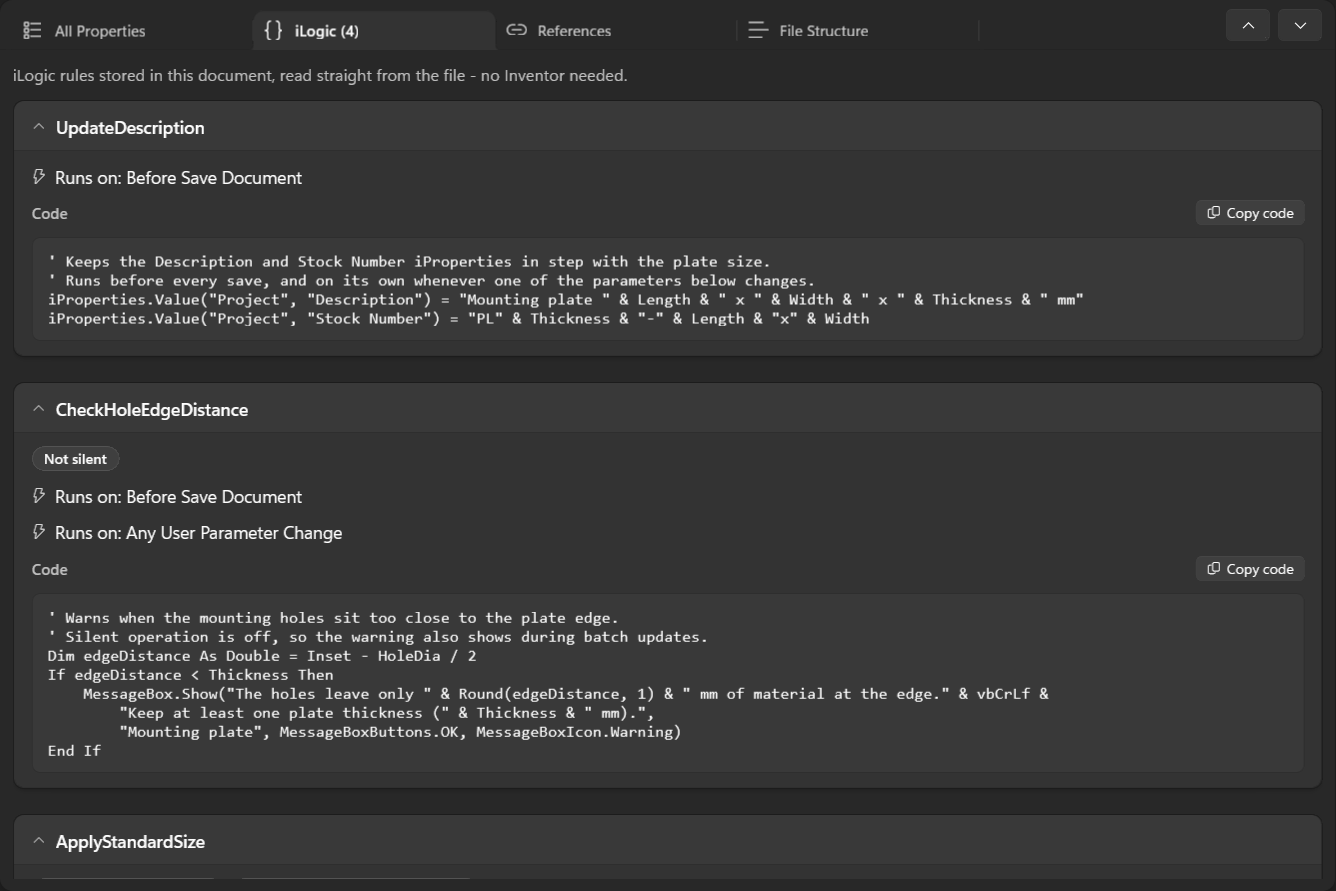
Triggers that point at a rule not stored in the document - an external rule - are listed in
their own card at the end. External rules live in separate .iLogicVb files, so their code isn't
part of the document.
From the command line
The command-line tool shows the same information:
invmeta infoadds an iLogic section with the rule names, their options and the triggers.invmeta ilogicprints every rule with its code.invmeta jsonincludes aniLogicobject (hasRules,ruleswithtextand options, andtriggers), handy for auditing many files at once.
How it works
Inventor marks a document that has rules with a small _iLogic property set and removes it again
when the last rule is deleted, so detecting iLogic costs nothing. The triggers are a second property
set, one entry per trigger. The rules themselves - names, code and options - are stored as document
attributes in one compressed segment of the file, which MetaReader only unpacks when the marker says
rules are there. The byte-level details are in the repository's
file format notes.